

Transcription Method – Cloud vs Local Model
Last Updated
11/10/2022 01:32 am
MLVET offers two transcription options to give you the flexibility in how you prefer to work and network capabilities available to you. These include:
Cloud Model
This cloud option uses AssemblyAI as the provider and will require you to make an account with them. This option requires an internet connection when you would like to transcribe a video and is a great option if you are low on storage capacity on your device.
Setting up cloud transcription
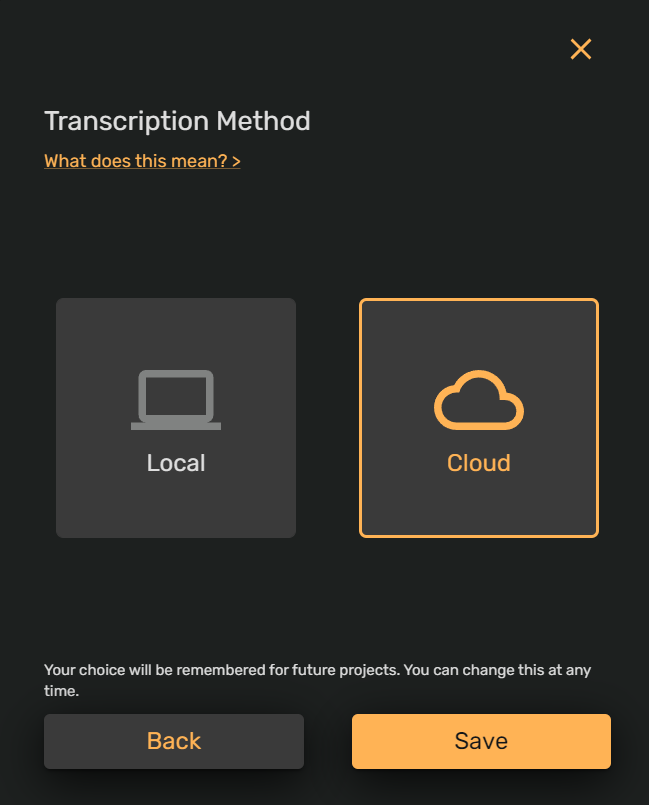
- Click on the right hand side cloud option as seen below and click save.
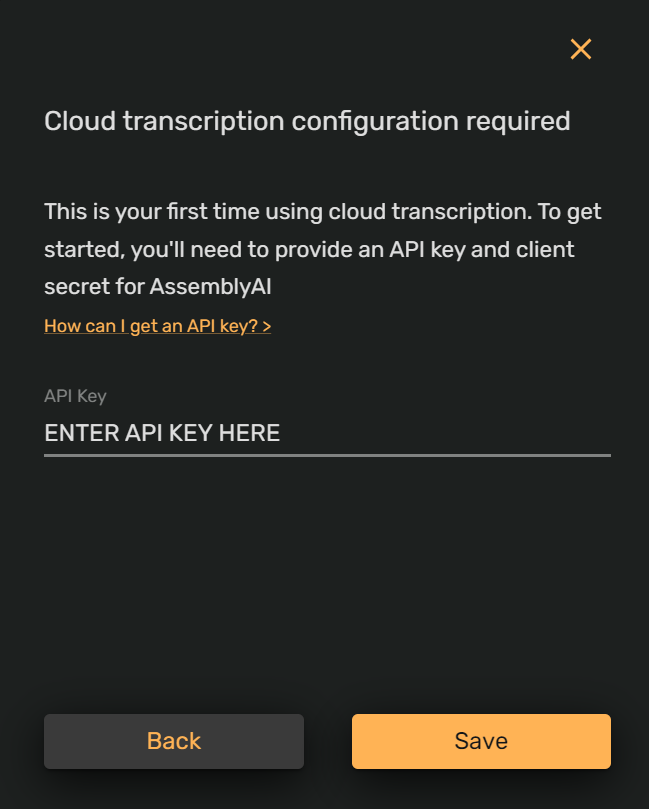
- The next modal will request you to enter in an API key from AssemblyAI. Please see the help doc here explaining how to set up an assembly AI account and retrieve your API key.
- Enter your API key into the text field in the below modal and click save.
- You’re now ready to get creating!
Local
This local option uses an offline Vosk model and will require you to download the 1.8Gb model onto your device. This option is great for you if you prefer to edit without an internet connection, however you will need an internet connection to download the model initially.
Setting up local transcription
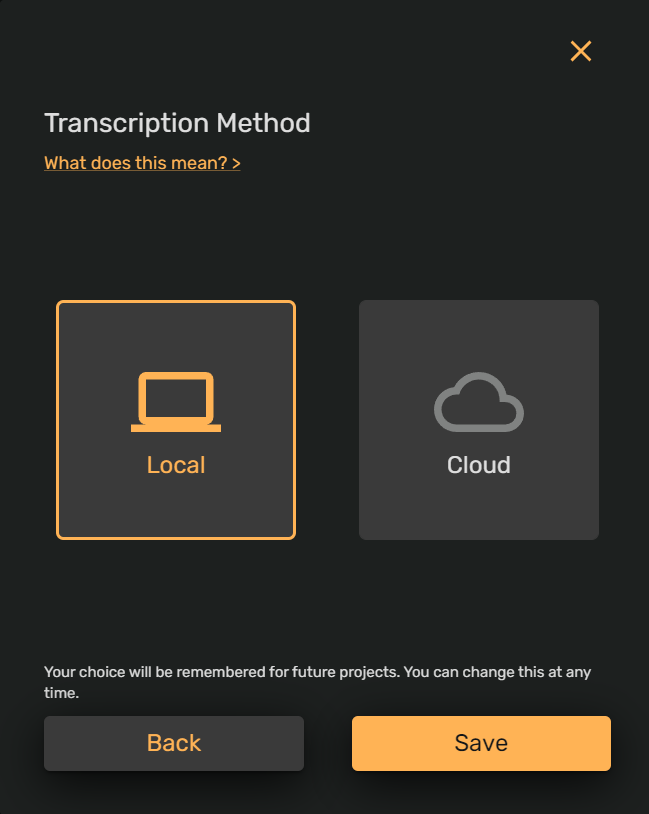
- Click on the left hand side local option as seen below and click save.
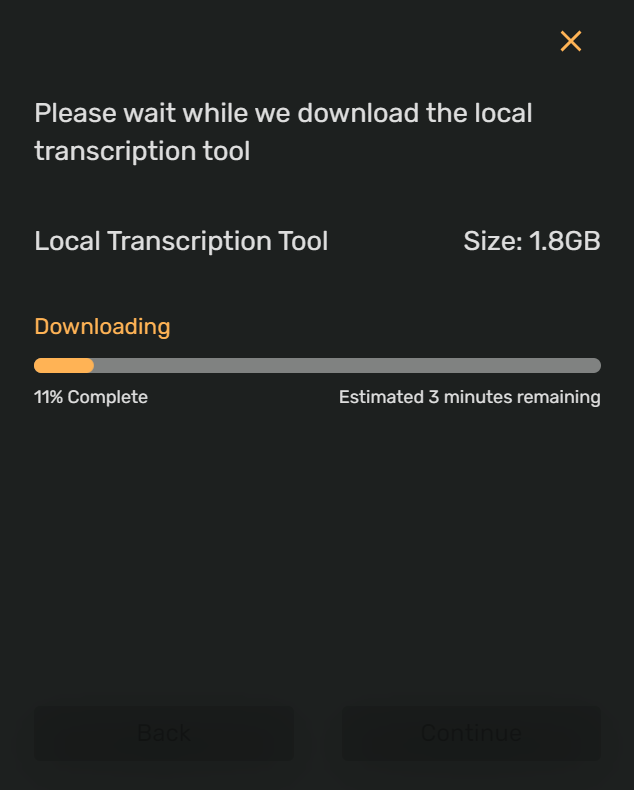
- The next modal will prompt you to download the Vosk model if this is the first time selecting offline transcription. Click download to proceed.
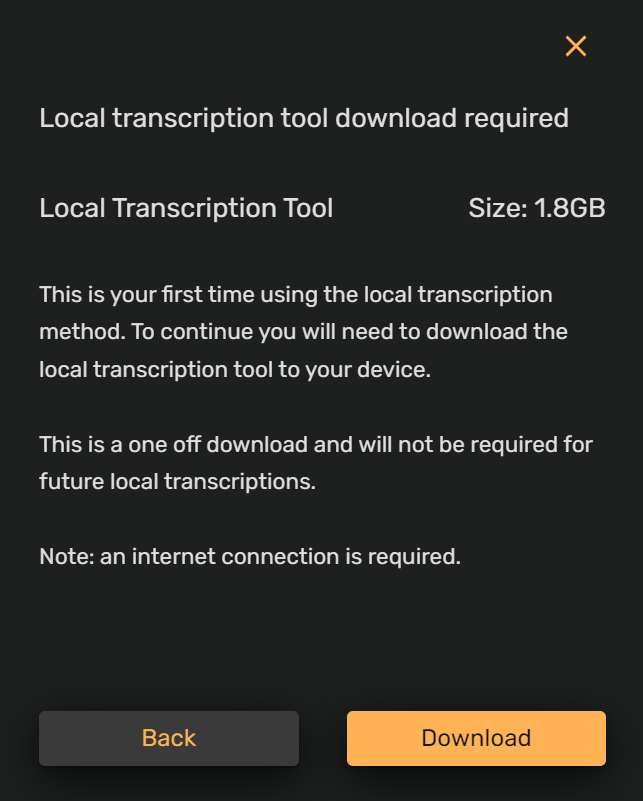
- The download will commence and status bar will appear.
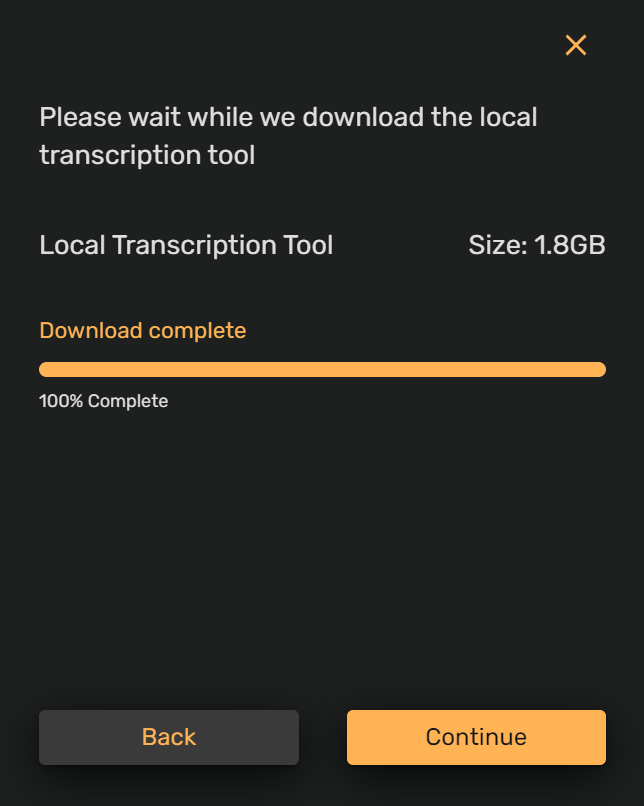
- Once the download is complete, click continue and you’re all done!
Time to get creating!