

Create assembly AI account and API key
Last Updated
10/10/2022 11:54 pm
- Navigate to AssemblyAI’s sign up page using this link: https://app.assemblyai.com/signup
- Create an account with your email address and select one of the dropdown options which best best suits your project motivations.
- Click Create account. Your account will be created and a profile page similar to below will display.
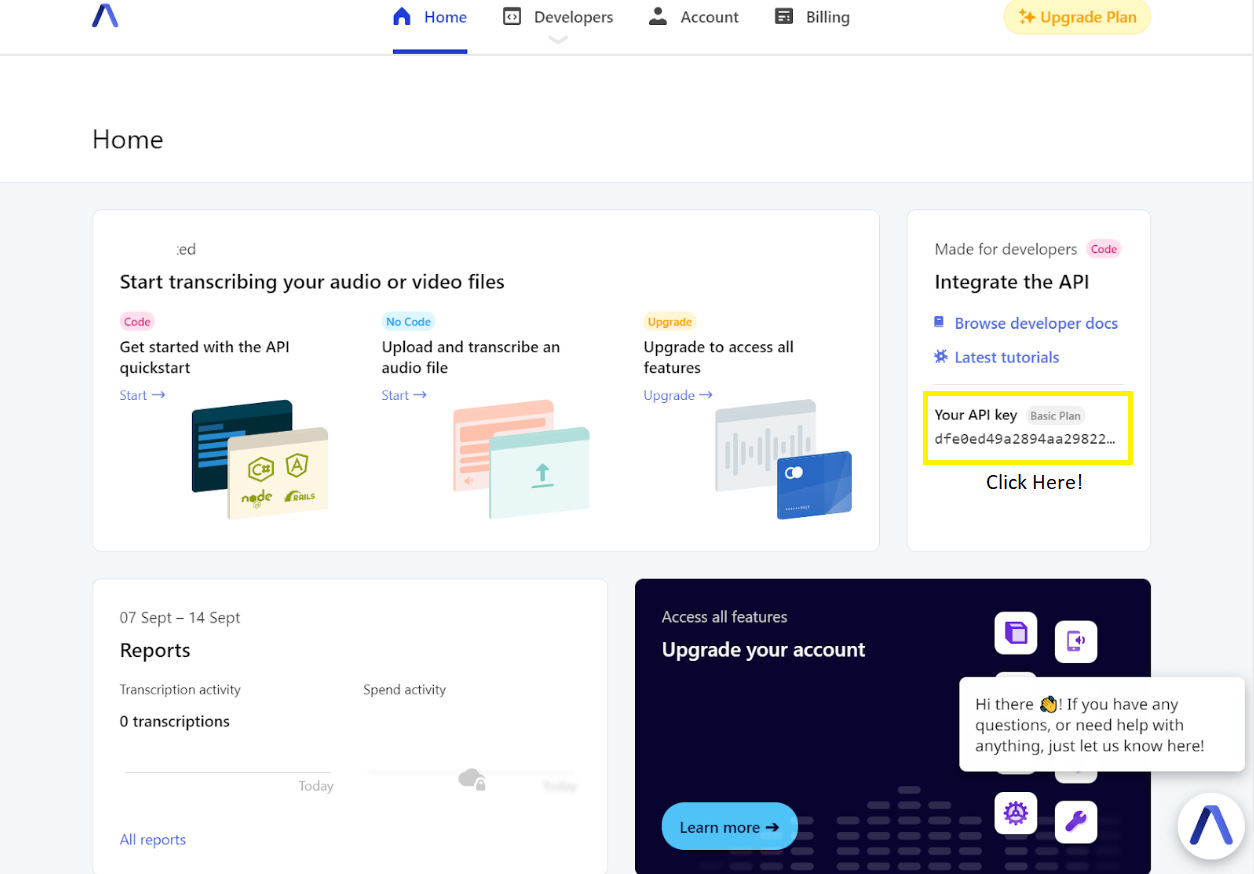
- On the right hand side under the “Integrate the API” heading, click on the light gray sequence of text under “ Your API key”. This will copy your key onto your clipboard for later use in the mlvet application.